What is Local MCP?
Claude local MCP (Model Context Protocol) is an open-source standard developed by Anthropic that allows the Claude Desktop app to securely connect to, read, and interact with data and tools directly on your local computer, such as files, folders, databases, and APIs. It enables AI-driven automation, allowing Claude to perform actions like editing code, querying local data, or interacting with software tools without leaving your desktop interface.
Using Power BI MCP as an example
- Download MCP from VS Code
Search for the Power BI Modeling MCP extension from VS Code, and download the one published by Microsoft.
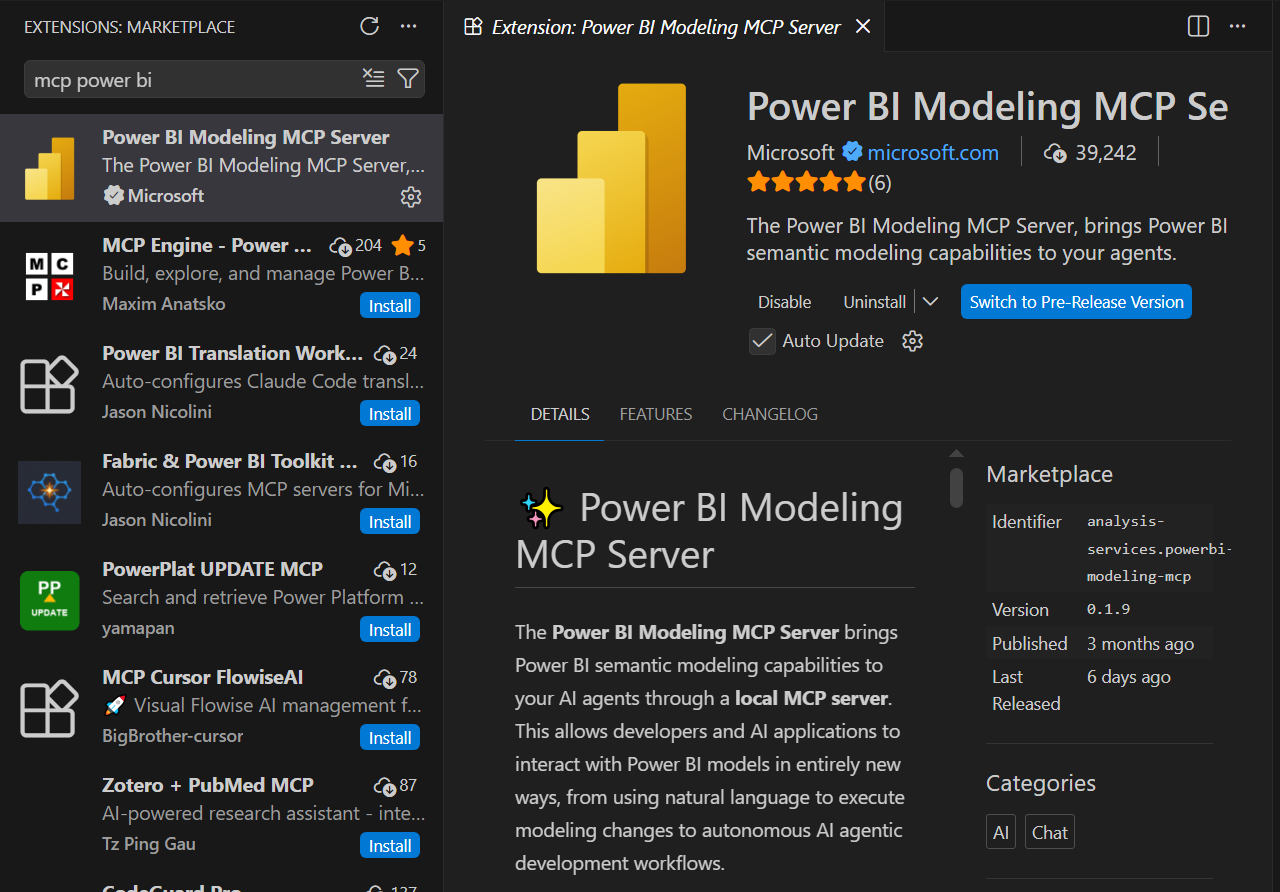
- Find the powerbi-modeling-mcp.exe file from the VS Code extension file. You can find it from a similar file path:
C:\Users\<YourUsername>\.vscode\extensions\analysis-services.powerbi-modeling-mcp-0.1.9-win32-x64\server

- Hold shift, right-click the exe file, and copy as path, save it somewhere for later use
- Open the Claude desktop APP, click the edit config button as shown below
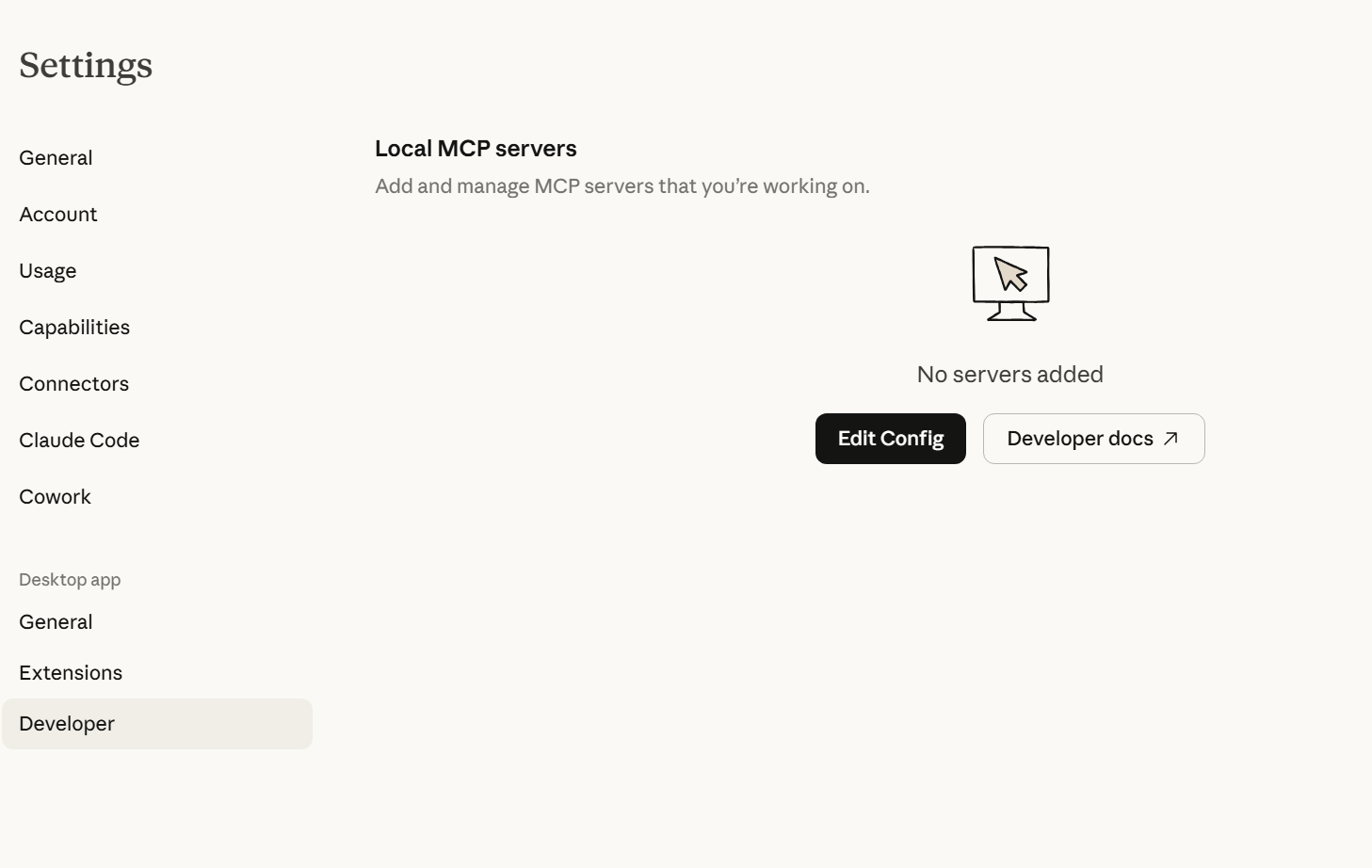
- Open the config file in VS Code, paste the configuration below, and save it
{
  "mcpServers": {
    "powerbi-modeling-mcp": {
      "command": "paste the path you copied before here",
      "args": ["--start"],
      "env": {}
    }
  }
}
Remember to use double backslashes (\\) instead of single ones (\) in the path.
- Reboot the computer, then open the Claude desktop APP. You should see the MCP added to the Claude.
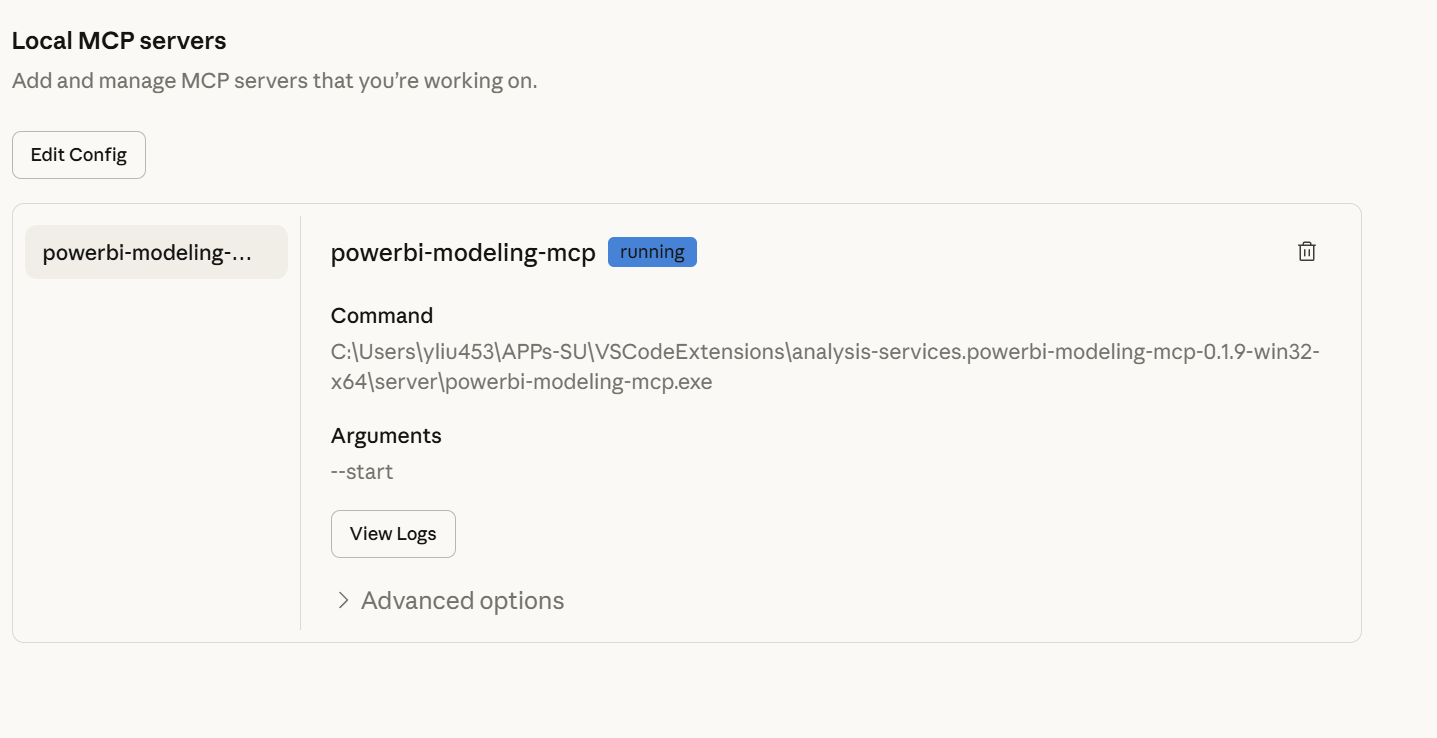
For adding more mcps, you can use similar measure by using , separating them see example below
{
  "mcpServers": {
    "powerbi-modeling-mcp": {
      "command": "your path",
      "args": ["--start"],
      "env": {}
    }
  },
"mcpServers": {
    "other mcp": {
      "command": "your path",
      "args": ["--start"],
      "env": {}
    }
  }
}
How to use it?
Now, you can open any Power BI report you are working on and open a chat from Claude Desktop. Input the prompt
Connect to the open Power BI desktop file From here, Claude will do its magic.
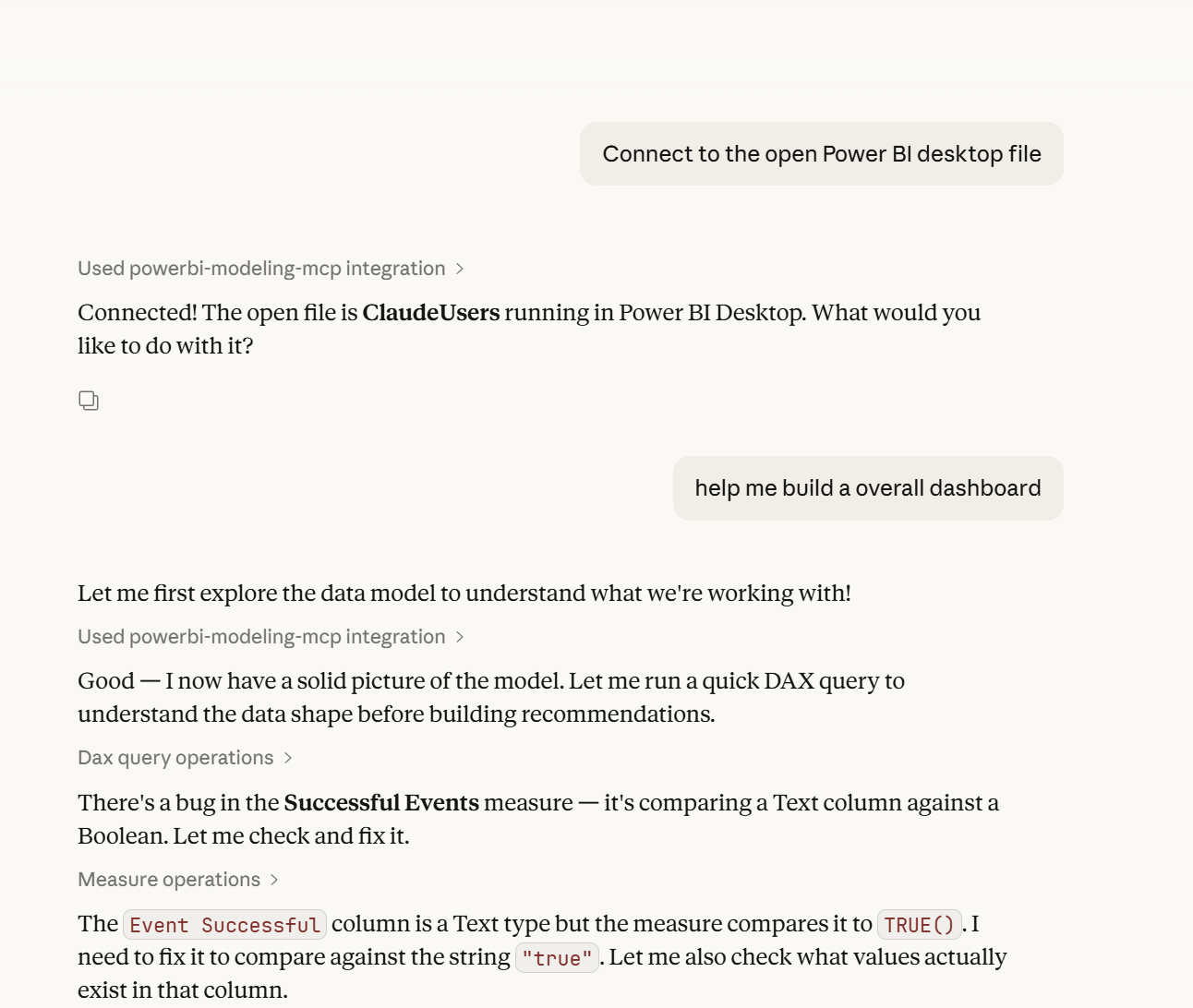
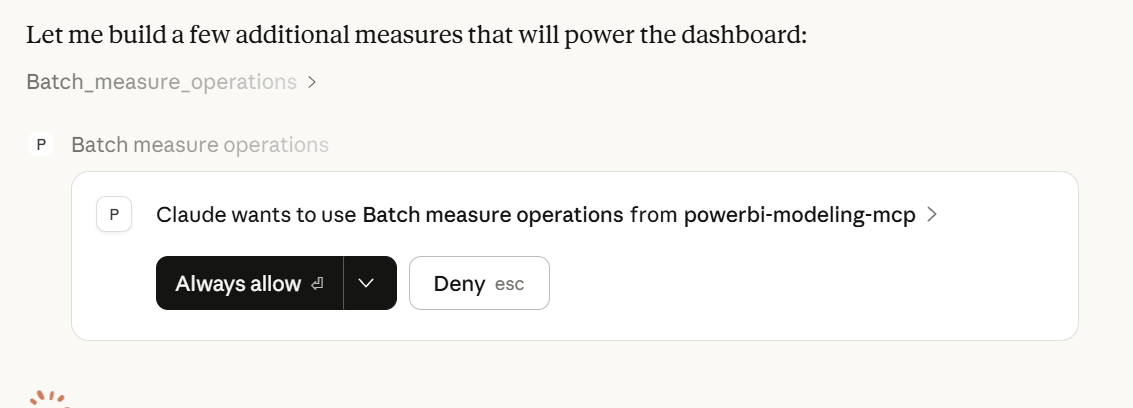
You are in control of how much access Claude can have.